Release Notes
What's new in Quark
Version 1.0.7
July 8, 2026 (iOS, iPadOS, macOS)
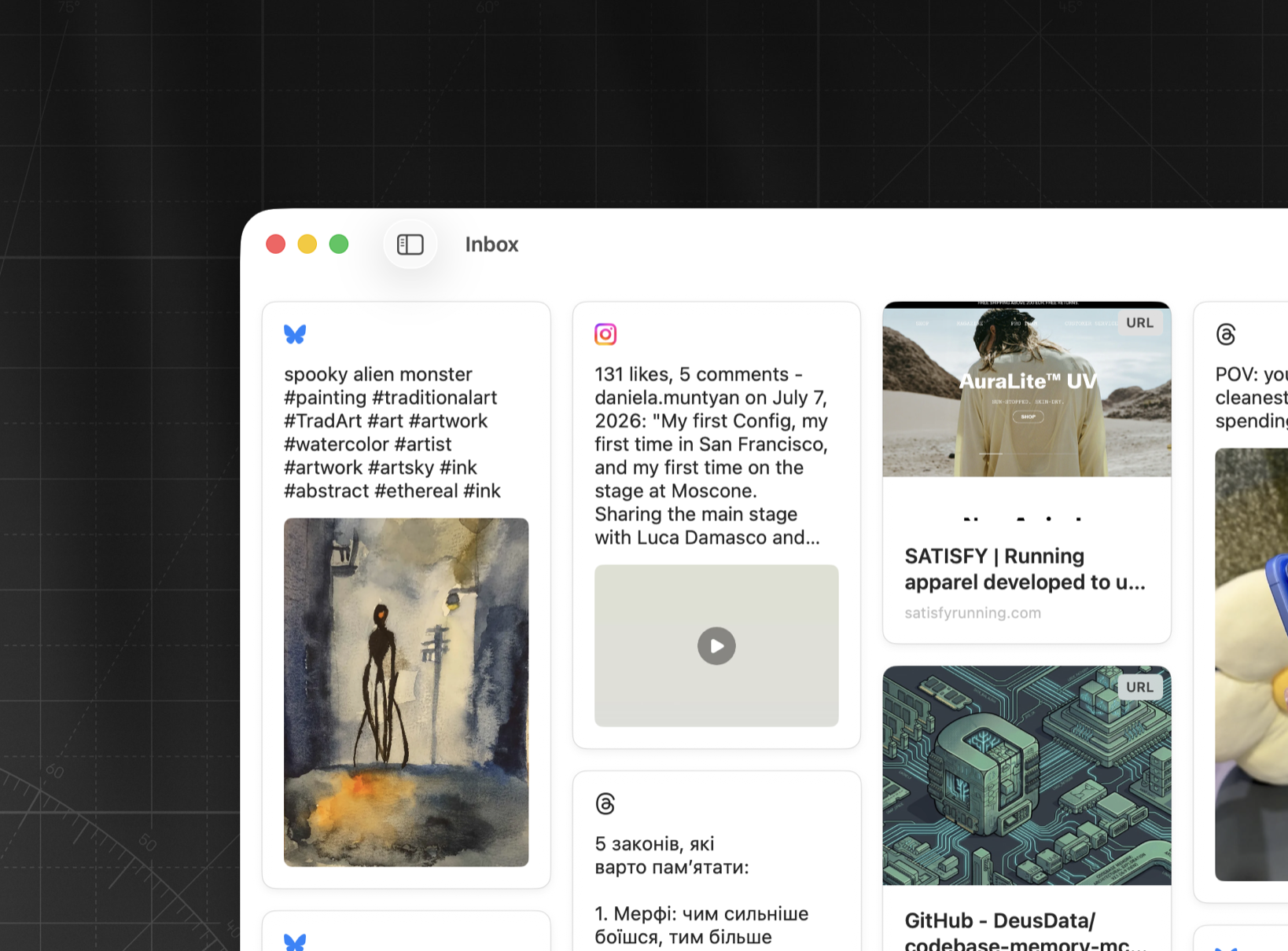
What's New
- Instagram support: posts save with a clean card preview
- Bluesky support: posts save with a clean card preview
Improvements
- More reliable Reddit link previews
- Link preview images now show at full size
Bug Fixes
- Fixed Threads posts without media showing the author's avatar
Version 1.0.6
July 1, 2026 (iOS, iPadOS, macOS)
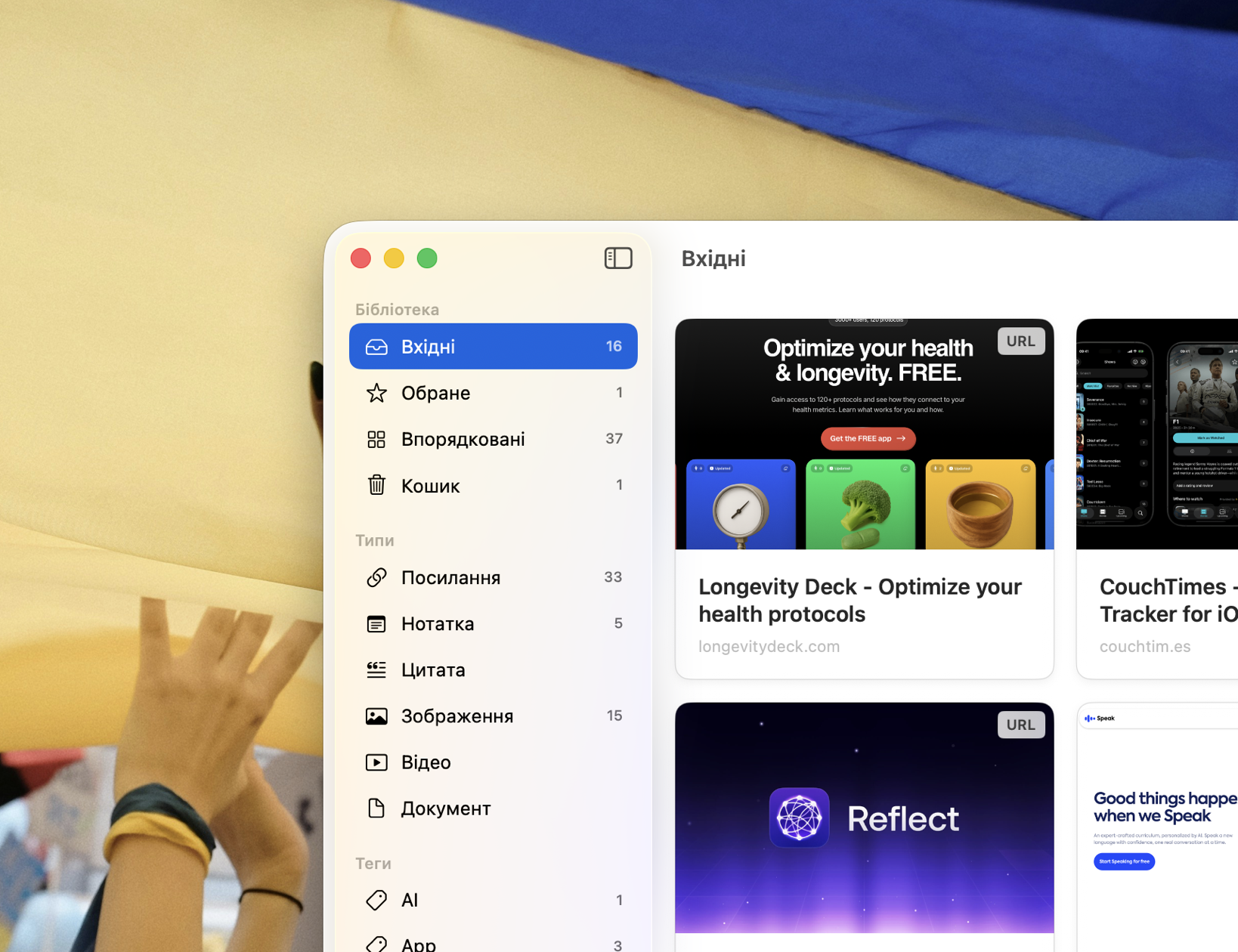
What's New
- Quark now speaks Ukrainian — full app localization
Improvements
- Replace Image now opens your photo library on iPhone and iPad
Bug Fixes
- Fixed Reddit links shared from the app saving as blank cards
Version 1.0.5
June 20, 2026 (iOS, iPadOS, macOS)

What's New
- Pinterest support: pins save with a clean card preview, and video pins play right inside the app — no Pinterest account needed
- Telegram support: t.me posts save with a clean card preview — post text and media right on the card
Improvements
- Roomier cards on iPad — easier to read at a glance
- Sharper image previews on cards
- Note card previews now render markdown formatting
Bug Fixes
- Fixed note titles being truncated when leaving the editor
Version 1.0.4
June 4, 2026 (iOS, iPadOS, macOS)
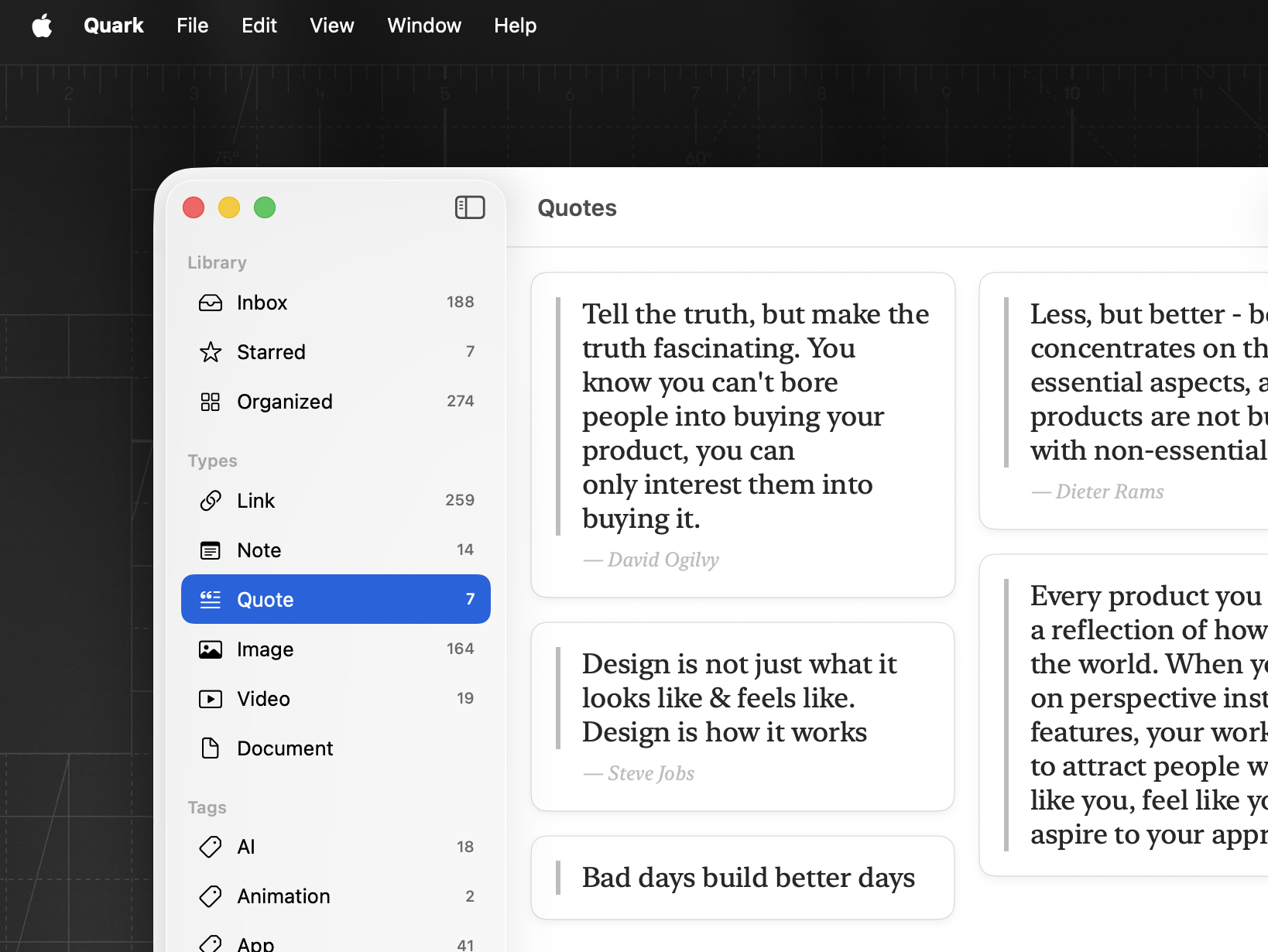
What's New
- Save quotes as a new content type with a clean serif reading layout
- Right-click a link card to copy its URL or open it in the browser
Bug Fixes
- Fixed cards growing in height when switching between tags or sections
- Fixed typing lag when editing fields in the inspector
- Fixed sidebar scroll lag with large libraries
- Fixed duplicate alert appearing dark in light mode
Version 1.0.3
May 26, 2026 (iOS, iPadOS, macOS)
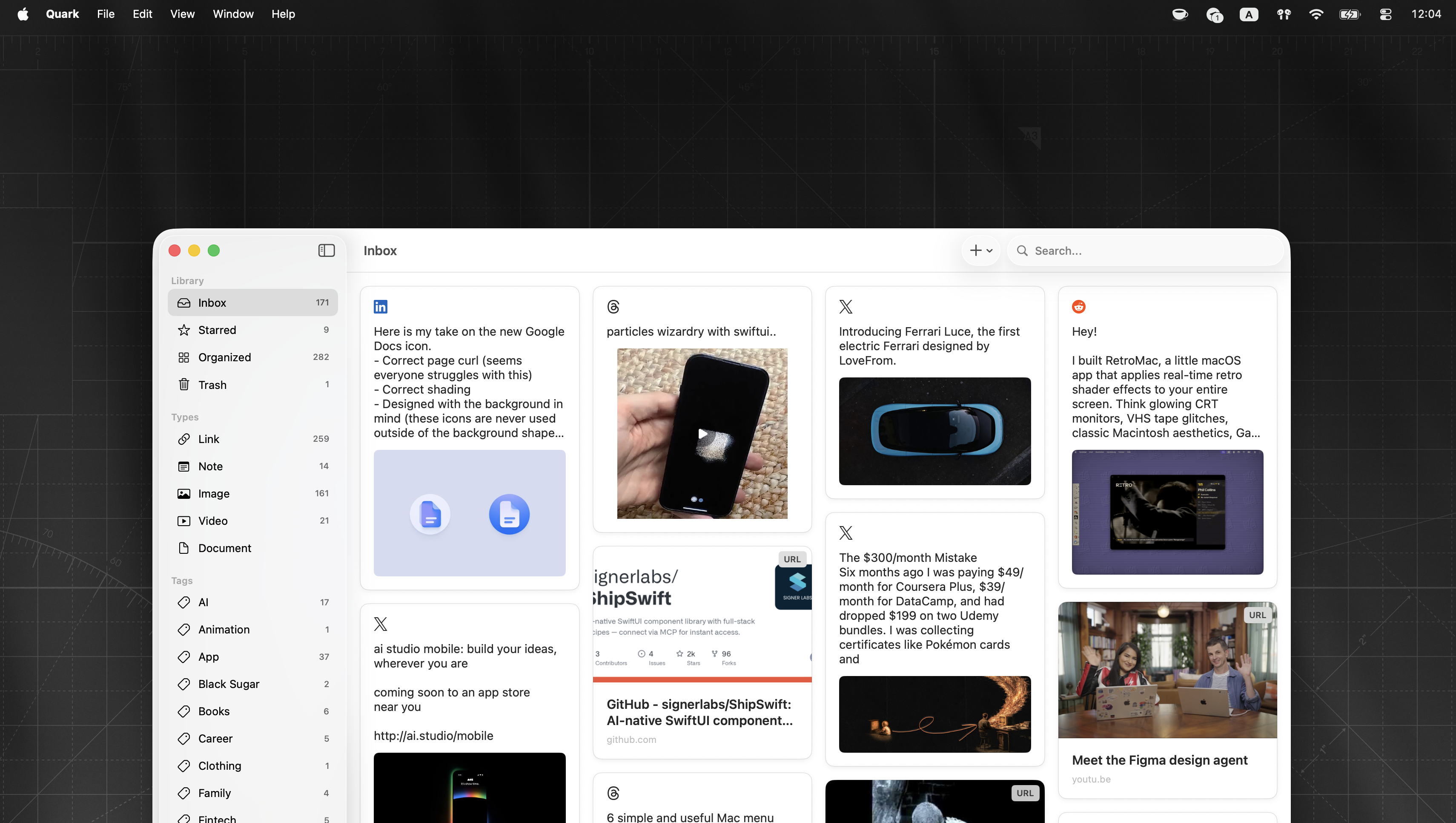
What's New
- LinkedIn links now show the post text and any image, just like X, Reddit, and Threads
Bug Fixes
- Fixed Enter duplicating bullet text when splitting a bullet with children
- Fixed Reddit links shared from mobile not showing title or preview
Version 1.0.2
May 15, 2026 (iOS, iPadOS, macOS)
What's New
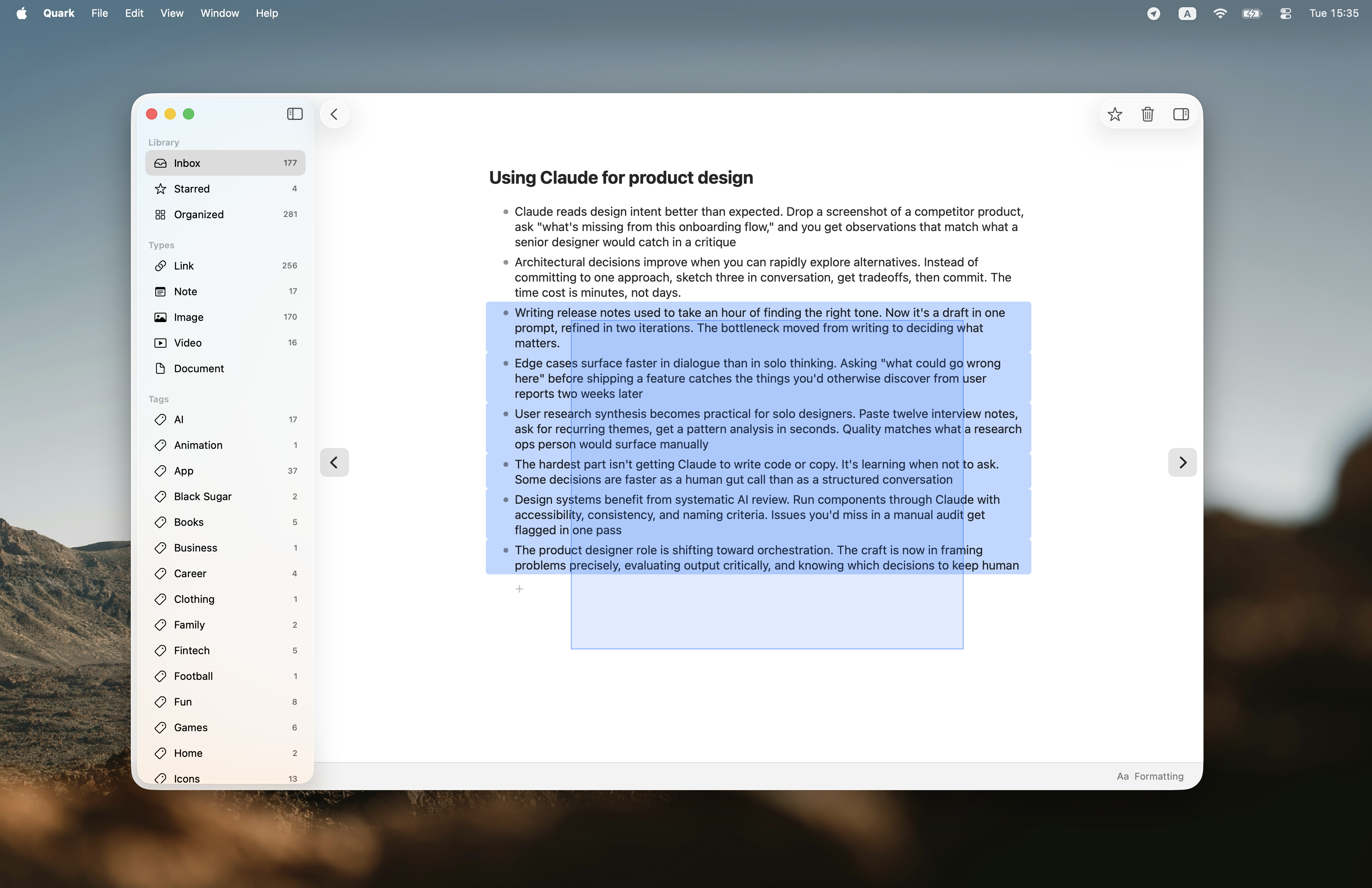
- Multi-bullet selection — press Cmd+A twice or drag to select multiple bullets at once
- Smarter paste — text from other apps now adapts to your note's style, and multi-line content splits into separate bullets
Improvements
- Faster typing in long notes
Bug Fixes
- Welcome screen now displays at the right size on first launch
- Long note titles no longer get cut off
- Cmd+A now selects text on the first press
- Clicking another bullet while typing no longer creates unwanted selection
- Backspace correctly removes selected text and empty bullets
- Cursor no longer jumps to start of bullet when pressing Enter
Version 1.0.1
May 11, 2026 (iOS, iPadOS, macOS)
What's New
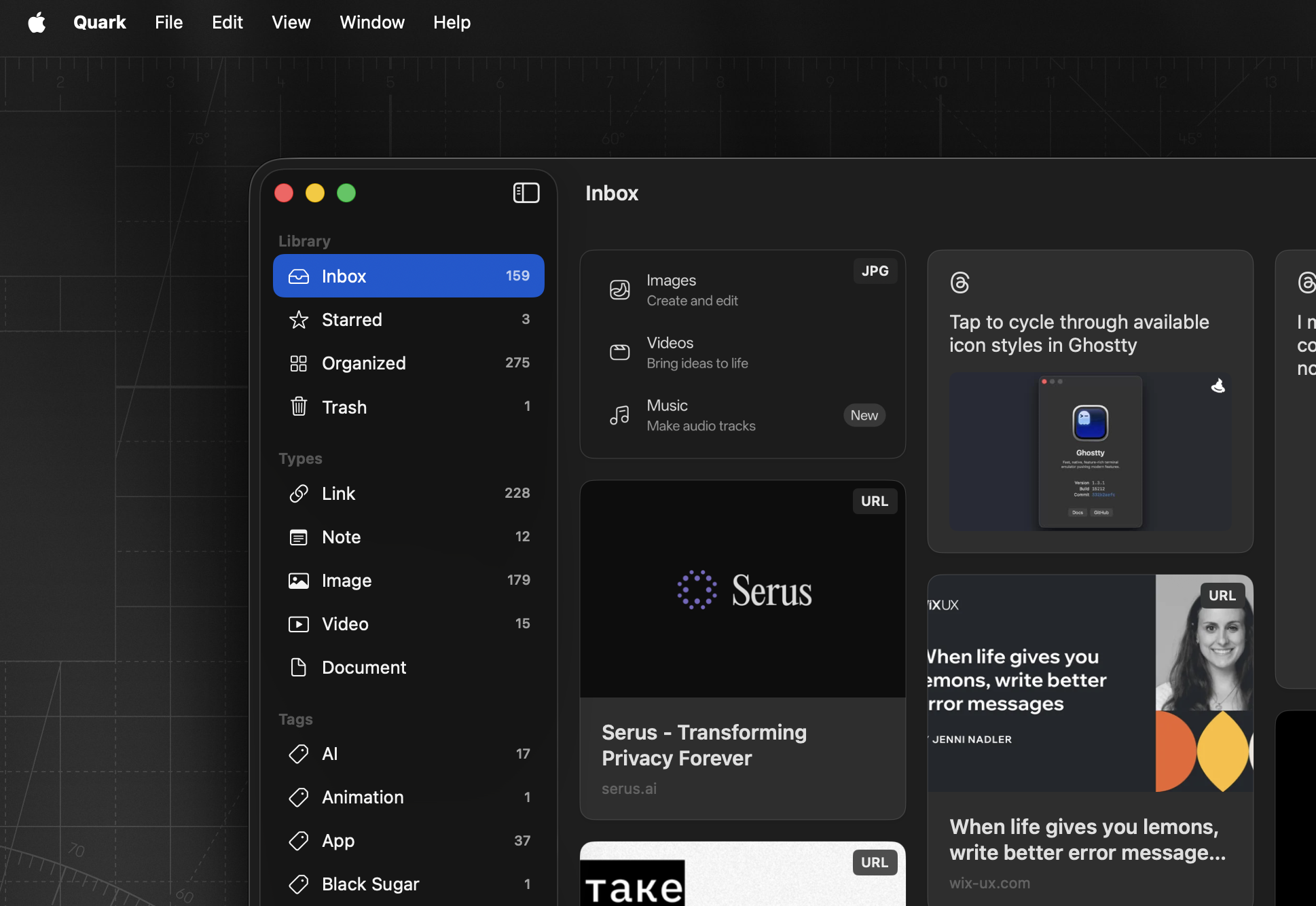
- Added a new "Types" section in the sidebar to quickly browse Links, Notes, Images, Videos, and Documents
Improvements
- Improved stability and performance
Bug Fixes
- Fixed a rare crash when deleting items on iPad
- Fixed saving videos to Photos on iPhone and iPad
- Fixed a crash when saving images from web pages to Photos
- Welcome screen on Mac now displays at the right size
Version 1.0
April 29, 2026 (iOS, iPadOS) · May 5, 2026 (macOS)
Hello, World!
- Save links, notes, images, videos, and files into a beautiful masonry grid
- Organize your collection with tags
- iCloud sync across all your Apple devices (Pro)